Short answer
4 steps- Run a left/right sound test to confirm which side is quiet.
- Check that the balance slider in Accessibility settings is centered.
- Clean the speaker mesh of the quiet AirPod with a dry soft brush.
- Reset the AirPods and pair them again.
1. Confirm it’s the AirPod, not the audio
Some songs and videos are mixed with more sound on one side. Use a test signal instead. The left/right sound test plays the same tone on each side so you can compare them directly. Swap the AirPods between your ears too. If the quiet side follows the AirPod, it’s the AirPod; if it stays with the same ear, get your hearing checked.
2. Check the balance setting
On iPhone, go to Settings > Accessibility > Audio & Visual and drag the Balance slider to the center. While you’re there, check that Mono Audio is off and look at Headphone Accommodations, which can change how loud each frequency plays. On a Mac, the balance slider is in System Settings > Sound > Output.
3. Clean the speaker mesh
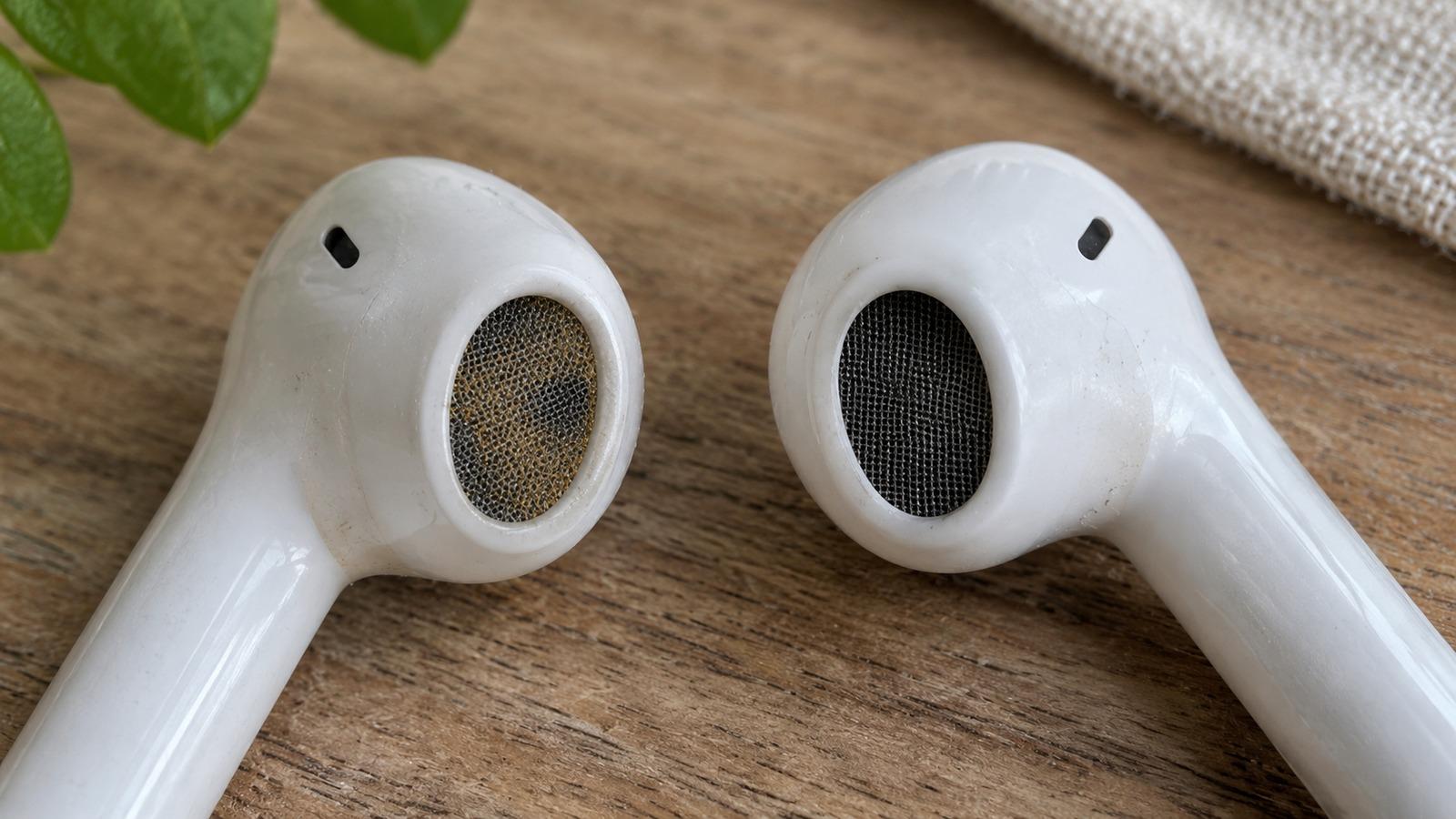
Earwax builds up on the mesh slowly, so you won’t notice it until one side has dropped noticeably. Look at the mesh under a bright light; a shiny or brown film means it’s blocked.
- Brush the mesh gently with a clean, dry, soft-bristled brush, such as a soft toothbrush.
- Use a dry cotton swab to lift what the brush loosens.
- For stubborn wax, press a small piece of Blu Tack or similar putty against the mesh and lift it off. Don’t push.
- On AirPods Pro, remove the ear tips and clean them separately. Wax often collects inside the tip.
Don’t use sharp objects, and don’t run water over the AirPod itself. If something did get them wet, follow the wet AirPods guide.
4. Reset and re-pair
- Put both AirPods in the case and close the lid for 30 seconds.
- On your iPhone, go to Settings > Bluetooth, tap the info button next to your AirPods and choose Forget This Device.
- Open the lid and press and hold the setup button on the case until the status light flashes amber, then white. On cases without a button, follow Apple’s reset steps for your model.
- Hold the open case near your iPhone and pair again.
5. Check the fit (AirPods Pro)
A tip that doesn’t seal lets bass and volume leak out, so one side sounds thinner. With the AirPods in, open the AirPods settings on your iPhone and run the Ear Tip Fit Test. Try a different tip size on the weak side.
Still quieter?
If the left/right test still shows a clear difference after cleaning, resetting and swapping ears, the speaker in that AirPod has weakened. Apple can replace a single AirPod, which costs much less than a new pair.