Short answer
4 steps- Turn off Bluetooth and check Separate app sound.
- Toggle Dolby Atmos and the equalizer back to Normal.
- Run the speaker check in Samsung Members.
- Clean the bottom grille and play a water eject tone if it's been wet.
1. Check where the sound is going
Turn Bluetooth off for a moment, since Galaxy Buds and car systems reconnect quietly. Then go to Settings > Sounds and vibration > Separate app sound. If it’s on, one app’s audio is being sent to another device. Turn it off while you test.
2. Reset Samsung’s sound effects
Open Settings > Sounds and vibration > Sound quality and effects.
- Toggle Dolby Atmos off and on and compare. Some content sounds hollow with it on.
- Set the Equalizer to Normal.
- If Adapt Sound is set up, turn it off; it can cut the frequencies it thinks you don’t hear well.
Also check Settings > Accessibility > Hearing enhancements for Mono audio and the left/right balance slider. Menu names shift a little between One UI versions; search Settings for “balance” if you can’t find it.
3. Run Samsung’s built-in speaker test
Open the Samsung Members app and look for Diagnostics or Phone diagnostics under Support. Its speaker and receiver checks play sound through each speaker and ask you whether it was clear. If the test sounds clean but your apps don’t, the problem is software or settings. If the test itself sounds muffled, the hardware is blocked or damaged.
You can also play our speaker sweep and the left/right test with the phone in landscape to compare the bottom speaker and the earpiece.
4. Clean the bottom grille
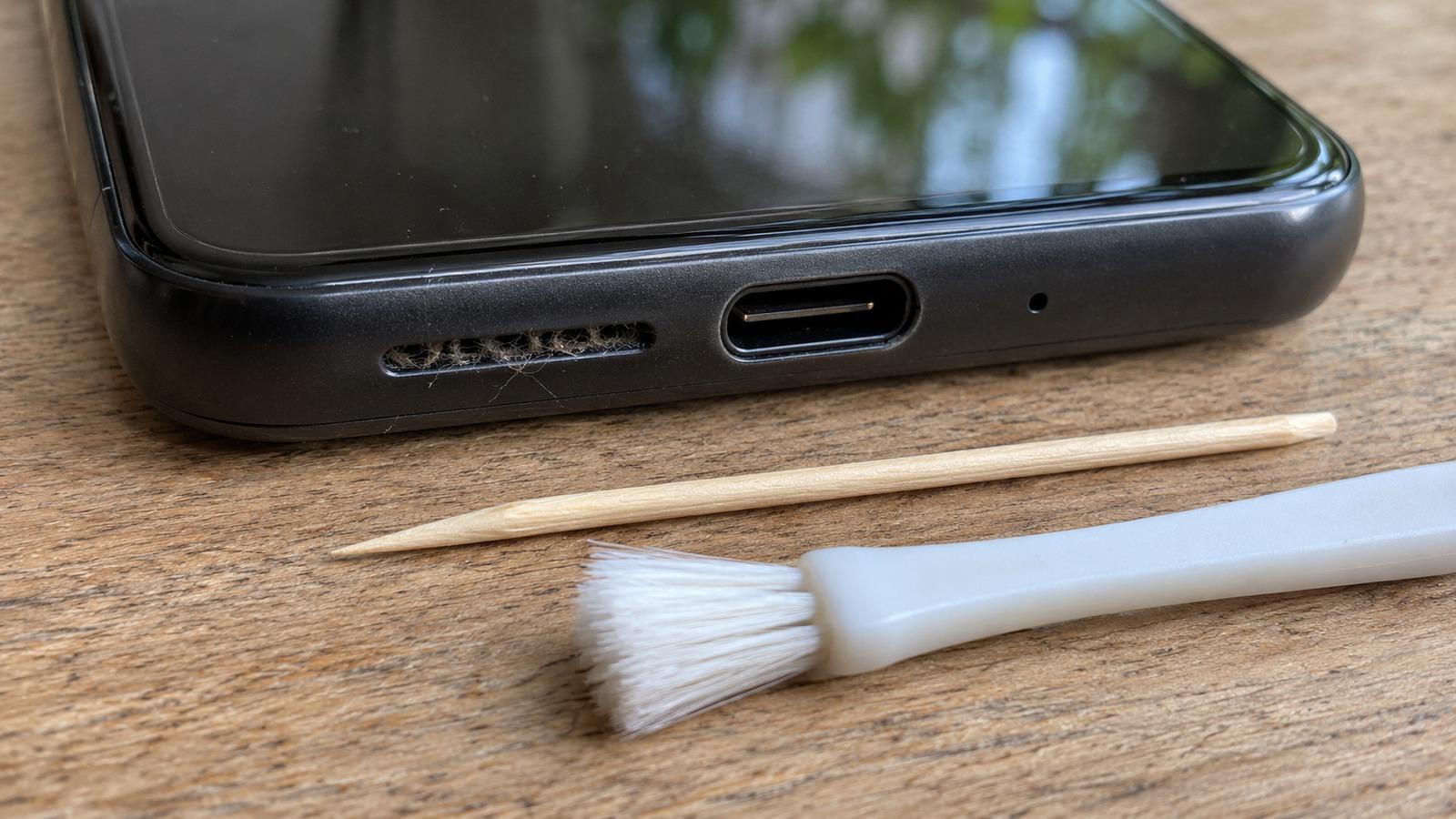
On Galaxy S and A series phones the main speaker is the slot on the bottom edge next to the USB-C port. Lint from pockets packs into it. Brush across it with a dry soft toothbrush and lift the rest with painter’s tape. The earpiece slot at the top of the screen is the second stereo speaker; see cleaning the earpiece.
5. Push out water
Galaxy phones from the S7 onward are water resistant, but water still sits in the grille after rain or a shower and makes the sound muffled or crackly.
Point the bottom edge down and run it two or three times. If you also see “Moisture has been detected” when charging, follow the charging port guide.
6. Restart, update and try Safe Mode
Install any update under Settings > Software update. To rule out apps, restart in Safe Mode: hold the power button (or Side key and Volume Down on newer models), then touch and hold Power off until Safe mode appears. If the speaker sounds normal there, uninstall recent sound, equalizer or booster apps.
When to book a repair
If the Samsung Members test sounds muffled after cleaning and drying, or one speaker is silent, the speaker module needs replacing. Samsung service centers and authorized repair shops replace them routinely. The general Android speaker guide has more checks if you’re not sure yet.